A storage drive in a stationary office PC remains untouched in the same housing for years. In the field, things look different: devices change users between shifts, go in for repair, or are retired or resold after a few years – and each time the question arises of what happens to the data on the SSD. What a hard drive technically is and what types exist is explained in the article What Is a Hard Drive? Structure, Types, Differences; a detailed comparison of HDD, SSHD, SSD, and M.2 SSD is provided by What Types of Hard Drives Are There and How Do They Differ?. This article picks up where both of those leave off and focuses on the practical side of storage in the field: removable drives at shift handover and repair, what drive encryption means in everyday use, how to securely remove data when exchanging a device, what shock and temperature do to an SSD, and why storage space for photo documentation and measurement runs out faster than expected.
Why Storage in the Field Must Be Treated Differently Than in the Office
A rugged laptop or rugged tablet is rarely used by exactly one person over its entire service life. In workshops and multi-shift operations, the next shift often takes over the same device; in industry and on construction sites, devices move between crews, and at some point a repair, a warranty case, or retirement comes up. Each of these transitions raises two questions: how can the data get onto another device or into other hands quickly and without downtime, and how is it ensured that sensitive data is not accidentally passed along in the process? The following sections answer exactly these two questions – first looking at removable storage, then at encryption and securely removing data.
Removable Storage: Replacement SSD with Canister at Shift Handover and Repair
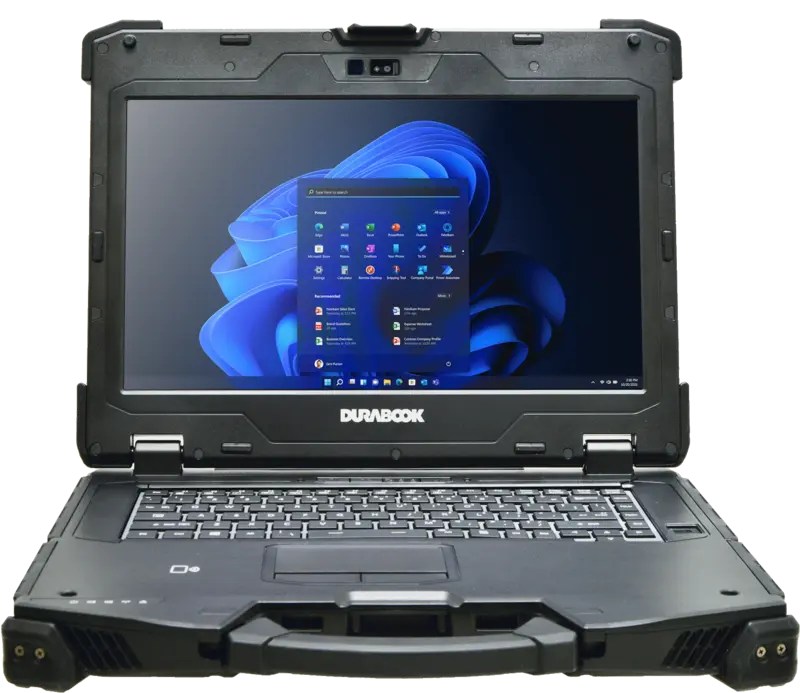
Several Durabook models in the RobustBook range offer the SSD as a spare part with its own canister. This allows the SSD to be swapped without opening the housing: the canister is removed from its designated slot and replaced with another one. This accessory is specifically listed for the following models:
- Durabook S14I: replacement SSD with canister in 256 GB, 512 GB, 1 TB and 2 TB.
- Durabook Z14I: replacement SSD with canister in 256 GB, 512 GB, 1 TB and 2 TB; for the Portable Server variant, additionally replacement SSDs for the expansion server box in 1 TB and 2 TB.
- Durabook U11I: replacement SSD with canister in 256 GB, 512 GB and 1 TB.
For everyday practice, this means two things. During repair, or when an SSD reaches its limits during ongoing operation, the entire drive can be swapped out instead of sending in the whole device and waiting for a replacement unit. At shift handover, a personal work state can be transferred from one device to another of the same model using an SSD prepared in its own canister, without every workstation necessarily needing the exact same physical device.
Not every model uses this canister principle. On the Durabook S15AB, the SATA SSD (256 GB to 1 TB) is, according to the product page, installed to be “easily accessible” – a different but similarly tool-light way to access the drive. On the Durabook S15, a second, additional PCIe SSD can instead be ordered in the configurator (each in the same capacity as the main drive, up to 1 TB + 1 TB) – this increases total capacity but does not replace tool-free swapping. On the Durabook R10, capacity is fixed at 256 GB to 2 TB according to the comparison table, with no separately listed canister accessory; instead, this model offers the SSD retention option described in the next section. A complete overview of all storage capacities is provided by the laptop comparison table and the tablet comparison table.
Encryption in Practice: What SSD OPAL 2.0 Delivers
OPAL is a standard for managing self-encrypting drives; the current version for notebooks is OPAL 2.0. Encryption runs directly on the SSD, is compatible with all operating systems, and thereby relieves the CPU, because the processing load of encryption is shifted onto the drive itself. The mechanism additionally provides a centrally managed security policy, automatic updates, as well as password recovery and user management. A detailed comparison of OPAL 2.0 against other protection mechanisms such as the Kensington lock, NIST BIOS, TPM 2.0, and fingerprint scanners is provided in the article Ideal Laptop Protection: 5 Security Features and Protection Mechanisms Compared.
According to the comparison table, SSD OPAL 2.0 is not available on every model. Among the laptops, the option is available on the Durabook S14I and the Durabook Z14I as an option; on the Durabook S15 it is not available according to the table, and for the Durabook S15AB no entry is recorded in the table. Among the tablets, the comparison table lists the option as optional exclusively on the Durabook U11I; for all other listed tablet models it is not available according to the table.
For field use, what matters most is that the encryption works offline and does not depend on a cloud connection: a device that remains overnight on the construction site, in the service vehicle, or in the workshop protects its data regardless of whether a network connection is currently available.
Securely Removing Data When Exchanging a Device: Repair, Return, Resale
Besides encryption during operation, a second question arises when exchanging a device: what happens to the drive when the device is sent in for repair, returned, or retired? For two models, a dedicated option is listed for this, called “SSD retention” or “Keep Your SSD,” which can be booked over several terms (years 1 to 3, 1 to 4, or 1 to 5):
- Durabook R10: SSD retention (Keep Your SSD) for years 1 to 3, 1 to 4, or 1 to 5.
- Durabook U11I: SSD retention (Keep Your SSD) for years 1 to 3, 1 to 4, or 1 to 5.
The practical effect: if a device must be sent in for warranty or repair, the SSD with its stored data remains in-house instead of traveling by mail together with the defective device. On models with canister accessories (Durabook S14I, Z14I, U11I), the same effect can additionally be achieved manually: the replacement SSD is removed before shipping and swapped for another, so that the device sent in travels without its original drive. An encrypted SSD OPAL 2.0 configuration acts as an additional safeguard in this case: even if an SSD accidentally travels with the device, it remains unreadable without the matching key.
Shock and Temperature: What Happens to Storage in the Field
Why an SSD is less sensitive to shock than a classic HDD is explained in detail in the article What Is a Hard Drive? Structure, Types, Differences. In addition, here is the classification for field use: according to the comparison table, the laptops Durabook S15, Durabook S14I, and Durabook Z14I, as well as the tablets Durabook R11L, R11, U11I, and R8 are rated for an operating temperature range of −20 °C to 60 °C. Under MIL-STD-810H, these devices are, according to the comparison table, tested for drops, shocks, vibration, freeze/thaw, high and low temperatures, thermal shock, and humidity, among other things. Details on the test setup for the drop tests are provided in the article Drop Protection per MIL-STD-810: Test Setup and Significance, and a classification of what the temperature range of −20 °C to 60 °C specifically means is provided in the article Operating Temperature: What −20 °C to 60 °C Means in Practice. For storage, this means in combination: because an SSD has no mechanically moving parts, it is significantly less affected by the tested vibration and shock loads than a classic HDD – one reason why rugged laptops and tablets are equipped exclusively with SSD rather than HDD technology.
How Much Storage Does Photo Documentation and Measurement Really Need?
When choosing the storage size, the requirements for photo documentation, measurement, and construction documentation are often underestimated. As a rule of thumb, according to the product page of the Durabook R8: 1 gigabyte is enough for about 250 songs or photos, or 2 movies. The R8 comes from the factory with a 128 GB PCIe SSD, configurable up to 256 GB, 512 GB, or 1 TB. Anyone using a device mainly for diagnostic and control software usually gets by well with smaller capacity, since that mainly involves programs and little image or video material. It looks different when documenting on a construction site: photos of construction progress, measurement scans, plans, and sometimes video recordings quickly add up to several gigabytes per project, so the capacity typical for office work fills up faster than expected at purchase. The Construction Site page accordingly lists construction documentation as its own use case for rugged devices in construction deployment.
For this requirement, the models with a larger capacity range are suitable: according to the comparison table, the range on the Durabook S14I and the Durabook Z14I goes up to 1 TB PCIe SSD, supplemented if needed by an optional second SSD. On the Durabook S15, a second SSD in the same capacity as the main drive can additionally be added in the configurator, doubling total capacity to up to 1 TB plus 1 TB. Among the tablets, the range on the Durabook U11I goes up to 1 TB PCIe SSD in the regular configurator, or up to 2 TB as a storage option according to the product page; on the Durabook R10, according to the comparison table, it likewise goes up to 2 TB. Anyone unsure which capacity is sufficient for their own documentation volume will find the complete configuration options on the respective product pages as well as in the laptop comparison table and the tablet comparison table.
What Storage in the Field Additionally Has to Do
Storage in the field differs from storage in an office PC in three respects: it must be quickly swappable in an emergency, it must protect the data it holds even when the device leaves one's own possession, and it must be sized large enough for the actual documentation workload. Replacement SSDs with canisters on the Durabook S14I, Z14I, and U11I cover the first point; SSD OPAL 2.0 on the S14I, Z14I, and U11I, along with the SSD retention option on the R10 and U11I, cover the second; and the capacity ranges of up to 1 TB or 2 TB depending on the model cover the third.
Which model and storage configuration suits your own deployment area can be clarified fastest in a direct conversation.