A serial interface for the old machine controller, a smartcard reader for the access badge, a barcode scanner for picking, a second battery for the double shift: in practice, rugged laptops and tablets can rarely be extended with "just any" desired component. Part of the equipment is a factory option that must be settled at the time of ordering. Another part can be retrofitted as an accessory, without the device having to be completely reconfigured for it. And a third, often overlooked point: many options mutually exclude each other – choosing one means giving up the other. Based on the actual configuration data of the RobustBook models, this article sorts out what falls into which category and quotes the decisive exclusions verbatim.
Factory option or retrofittable module – the basic difference
Two different types of expansions appear in the equipment lists of the RobustBook devices, and they behave very differently in practice:
- Factory option: equipment that must already be decided at the time of ordering because it is installed at the factory. This applies, for example, to serial interfaces, network connectors, smartcard readers, or barcode scanners installed via an internal expansion module or a so-called media bay slot. On the product page of the Durabook S15, this is stated explicitly: the additional LAN connector and the second serial interface are labeled verbatim there as "2. LAN & 2nd RS232 Factory Option". On the Durabook S14I as well, every media bay variant – from smartcard reader through ExpressCard 54 to the second RS232 interface – explicitly carries the addition "(Factory Option)".
- Retrofittable module: an accessory that can be installed or swapped after purchase without factory reconfiguration. According to the Accessories Comparison Table Laptops, a second SSD, a second battery, or a DVD drive can be inserted into the drive bay of the Durabook laptops, with "a maximum of 2 screws to be loosened" – a considerably simpler process than a factory option, which must be decided before ordering.
This difference matters for the purchase decision: anyone who misses a factory option after delivery generally cannot retrofit it without further ado, since that would require swapping internal components or installing additional circuit boards. A retrofittable accessory such as the second battery or the second SSD, on the other hand, can still be ordered and installed later.
Serial interfaces: RS232 as a factory option – and its exclusions
The RS232 serial interface is still in demand in field use, for example for older machine controllers or diagnostic devices. On several models, however, it is not a freely combinable add-on option but excludes other connectors:
- On the Durabook U11I, the equipment list states verbatim, under "Integrated Options (Mutually Exclusive)": "RS232 (mutually exclusive with USB 3.2 Type A)". The same group also lists "USB 3.2 Gen2 Type C (mutually exclusive with USB 3.2 Type A)" and "Barcode Scanner (mutually exclusive with USB 3.2 Type A)" – of these four connector variants, only one can ultimately be chosen.
- On the Durabook S15, the corresponding entry reads: "2. LAN & 2nd RS232 Factory Option & mutually exclusive with express card". Anyone who orders the second serial interface plus additional LAN port therefore gives up an ExpressCard expansion.
- On the Durabook S14I, the second RS232 interface is part of the media bay selection: "Media Bay - 2nd RS232 & USB3.2 Type A (Factory Option)", or in combination "Media Bay - 2nd RS232 & USB3.2 Type A + Smartcard Reader (Rear) & (Factory Option)". Since the media bay, according to the product page, is "mutually exclusive, only one option selectable", the same media bay cannot simultaneously hold a plain smartcard, ExpressCard, or barcode variant.
- On the Durabook R8, RS232 is part of an expansion module: "Expansion Module - Smartcard Reader with RS-232/RJ-45 & USB3.2" combines the serial interface with network and smartcard functionality in a single selectable module, which is mutually exclusive with the other expansion module variants (plain smartcard readers with or without RFID).
- On the Durabook R11 and the Durabook R11L, the serial interface appears within the "Expansion Modules" as a combination: "Expansion Module - RJ45 & RS232 & Smart Card Combo Reader" on the R11, and "Expansion Module - RJ45 / RS232 & Smart Card Combo Reader" on the R11L. On the R11L, this group is explicitly headed "Integrated Options – Expansion Module (Mutually Exclusive)" – so only one expansion module from the list can be chosen per device, not several at the same time.
According to the two accessories comparison tables, the docking stations for laptops and tablets likewise come standard with their own RS-232 interface: in the connector overview of the office dock for the S14I and Z14I, position 15 is labeled "RS-232 Interface", and on the office dock for the R11L, R11, and U11I it is position 7. This dock connector concerns the docking station itself and is independent of whether the device internally carries a second RS232 factory option.
Network, smartcard, and barcode: the expansion modules of the tablets
Durabook R8: expansion module group and an additional cross-exclusion
On the Durabook R8, there are two separate groups of mutually exclusive options. The first group, "Integrated Options (Mutually Exclusive)", covers USB 3.2 Type A, barcode scanner, and LAN connector (RJ45) – only one variant of these can be installed. The second group, "Integrated Options – Expansion Module (Mutually Exclusive)", offers four smartcard variants: with LF/HF RFID (NFC), without RFID, with UHF RFID (NFC), and with RS-232/RJ-45 & USB3.2. In addition, there is a third, standalone option outside these two groups: "Expansion Module - Magnetic Stripe Reader (mutually exclusive with USB 3.2 Type A)". This entry shows that exclusions can take effect within a single selection group. They can equally take effect across groups – the magnetic stripe reader specifically excludes the USB 3.2 Type A option from the first group, not the other expansion modules.
Durabook R11 and R11L: expansion modules as a single selection list
On the R11 and R11L, the expansion modules are available for selection as one combined list: RJ45, LF/HF RFID module, smartcard reader, MSR & Smart Card Combo Reader, as well as the RS232 combination named above. On the R11, the default state is explicitly labeled "Standard (without expansion module)", showing that on the R11 an expansion module is fundamentally an add-on option, not a standard component. Barcode scanner, by contrast, is a regular "Integrated Option" on both models, outside this expansion module group.
Durabook U11I: ExpressCard and a second smartcard reader as separate expansion modules
The Durabook U11I already carries a smartcard reader from the factory as a regular integrated option. Anyone who needs a second smartcard reader will find it in the dedicated "Expansion Modules" category: "Expansion Module - 2nd Smartcard Reader" as well as, in combination, "Expansion Module - LF/HF RFID Module + 2nd Smartcard Reader". "Expansion Module - ExpressCard 54" is also available there for selection. According to the equipment list, all four expansion module variants of the U11I are available only for the U11I & U11IG2 variants, not for the U11I-EX version.
Media bay on the notebook: one opening, several mutually exclusive options
On the S14I and S15, the corresponding area is called "Media Bay". The principle is the same on both models: there is one physical opening in the housing, for which exactly one version can be ordered.
On the Durabook S14I, six media bay variants are available according to the product page as "Integrated Options 2 (Mutually Exclusive, Only One Option Selectable)": smartcard reader, ExpressCard 54, 2nd RS232 & USB3.2 Type A, barcode scanner, the combination barcode scanner + smartcard reader (rear), and the combination 2nd RS232 & USB3.2 Type A + smartcard reader (rear). All six are explicitly marked as a factory option – anyone who does not choose one of these at the time of ordering does not automatically get the media bay opening fitted with one of these modules later.
On the Durabook S15, the media bay selection is smaller: there, under "Integrated Options – Media Bay (Mutually Exclusive, Only One Option Selectable)", only a super-multi DVD drive is listed. The additional second RS232 interface and the second LAN port are, on the S15, instead a separate factory option outside the media bay – as quoted above – which excludes the ExpressCard option.
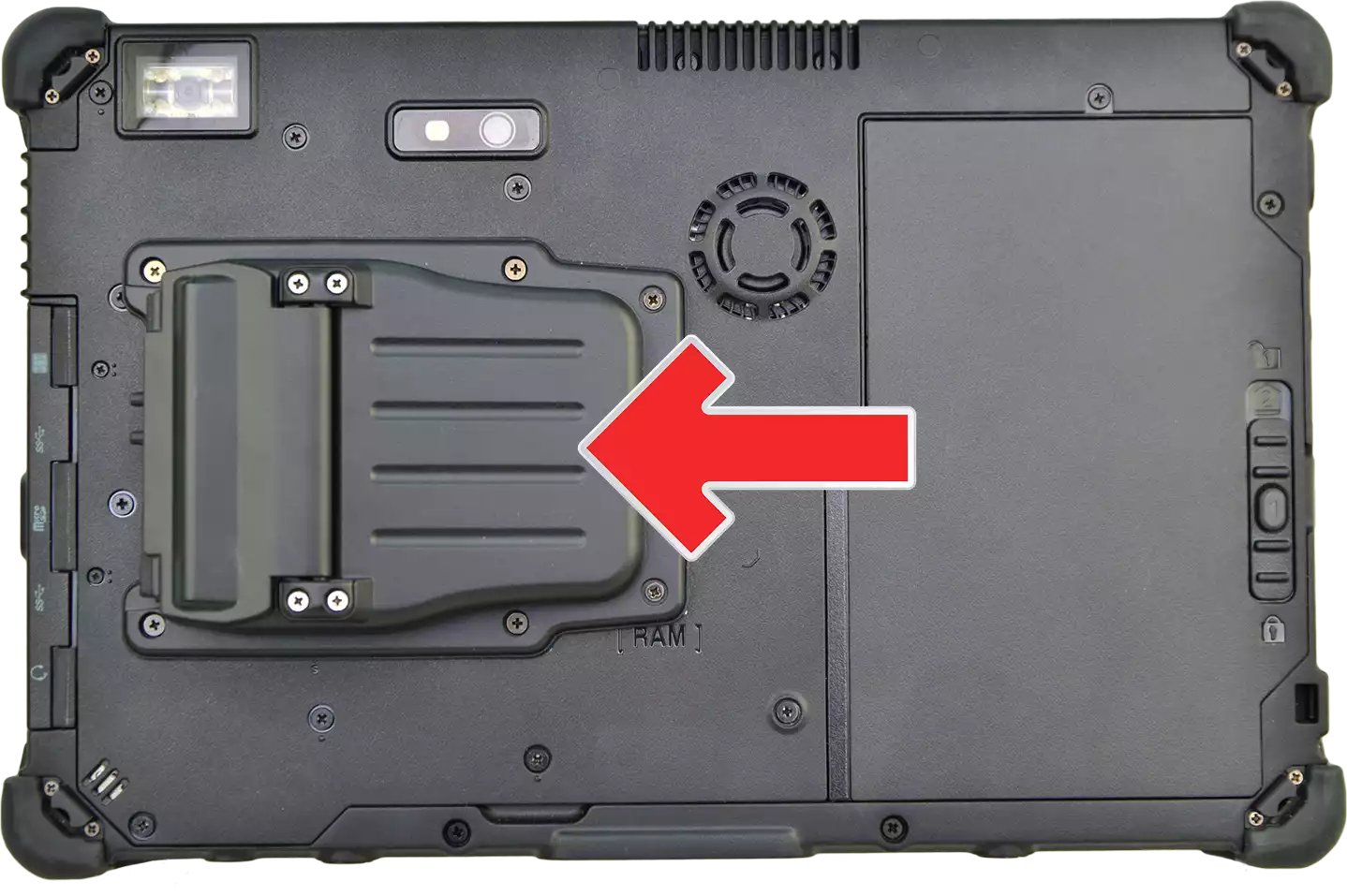
On the Durabook S14I, there is another example of an exclusion outside the media bay: the "2.5G LAN Port" is marked as a factory option and, according to the equipment list, is "mutually exclusive with discrete graphics card (VGA)" – anyone who orders the dedicated NVIDIA RTX A500 graphics card thereby gives up the faster LAN port, and vice versa.
Second battery, second SSD, and DVD drive: retrofittable in the drive bay
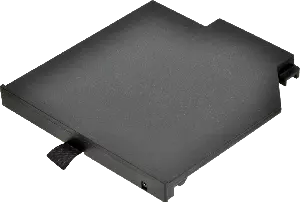
Unlike the factory options described above, the so-called drive bay on several Durabook laptops is accessible to the user directly. According to the Accessories Comparison Table Laptops: "All Durabook laptops can be equipped with a second SSD hard drive", adding "up to 1 TB of hard drive storage"; "removing the hard drive" requires "a maximum of 2 screws". A DVD drive can likewise be installed: "All Durabook laptops can be equipped with a DVD drive."
The second battery, on the other hand, is not available for all laptop models: "The Durabook S14I and Z14I can be configured with a second battery in the drive bay", which, according to the same source, allows up to 10 hours of additional runtime. This is also recorded in table form in the comparison table itself: under "Second Battery", the S14I and Z14I are marked with a checkmark, while the S15AB is marked with a cross.
Important here is the restriction named in the same section on the DVD drive: "each laptop can only have one DVD drive, one second hard drive, or one second battery." These three retrofittable modules therefore compete for the same physical bay – anyone who opts for the second battery no longer has room in that bay for a second SSD or a DVD drive, but, according to the description, can switch between the three with a few simple steps, provided the required accessory is on hand.
Another example of subsequently available accessories is found in the accessories table for the Durabook Z14I: there, a checkmark is recorded in the row "Expansion Box", while the S15AB and S14I are marked with a cross in the same row. The comparison table thus explicitly distinguishes between models that carry an expansion box and those that do not.
Why do options exclude each other at all?
The examples quoted – RS232 versus USB 3.2 Type A on the U11I, RS232/LAN versus ExpressCard on the S15, LAN port versus graphics card on the S14I, magnetic stripe reader versus USB 3.2 Type A on the R8 – share a common pattern: only a limited number of physical openings and internal slots are available at the edge of the housing. An additional serial port, a second network connector, or a dedicated graphics card each claim space, cooling surface, or a specific internal interface that is then missing for another option. That is why these combinations are not listed in the equipment lists as a plain wish list but as clearly named either-or decisions, in some cases even with the note "only one option selectable", as with the media bay variants of the S14I and S15.
A similar pattern shows up with the dedicated GPS options of the R8, R11, and R11L, though here it concerns radio connectivity rather than a physical connector: "dedicated GPS (mutually exclusive with 4G LTE + GPS Combo)" – anyone who opts for the combined 4G LTE and GPS solution no longer needs a separate dedicated GPS module, because the GPS function is already included in it. On the R8-EX, according to the equipment list, there is a further restriction: dedicated GPS there is additionally "not combinable with the RF pass-through connector option".
What to watch out for already when ordering
The exclusions described above lead to three practical consequences when ordering a rugged laptop or tablet:
- Set priorities before ordering. Anyone who knows that an old machine controller absolutely requires RS232 should clarify beforehand whether that means giving up USB 3.2 Type A, ExpressCard, or a graphics card option elsewhere – depending on the model, that is exactly the case according to the equipment list.
- Distinguish between factory options and retrofittable accessories. An RS232 factory option, a media bay module, or an expansion module from the configurator must be decided at the time of ordering. A second battery, a second SSD, or a DVD drive in the drive bay, on the other hand, can, according to the accessories comparison table, also be retrofitted or swapped later – provided the model fundamentally supports the respective option, as with the second battery, which is only available for the S14I and Z14I, not for the S15AB.
- Do not overlook cross-group exclusions. As the example of the magnetic stripe reader on the R8 shows, an option can also exclude a choice from a completely different equipment group, not only the other variants within the same list. It is therefore worth looking at the full equipment list of the respective model before the final configuration is put together.
A complete overview of all currently configurable equipment features is provided by the interactive configurator on the respective product pages, for example on the Durabook U11I or the Durabook S15. Across models, the Laptop Comparison Table and the Tablet Comparison Table also give an initial overview of which model suits which use case, before checking the details of the expansion modules.
Frequently asked questions
Can I have a factory option such as RS232 installed later?
The equipment lists explicitly identify factory options such as the second RS232 interface, ExpressCard, or smartcard modules as part of the order configuration. Whether and how a later installation is possible is not stated in the available equipment data – this question can only be clarified in an individual quote.
Why can I not order RS232 and USB 3.2 Type A at the same time on the Durabook U11I?
Because both connectors occupy the same physical position on the housing according to the equipment list: "RS232 (mutually exclusive with USB 3.2 Type A)". The same restriction there also applies to USB 3.2 Gen2 Type C and the barcode scanner, which are likewise mutually exclusive with USB 3.2 Type A.
Are expansion modules and media bay options the same thing?
No. "Expansion Module" is the term used on the tablet pages (R8, R11, R11L, U11I), while "Media Bay" is the corresponding category on the notebook models S14I and S15. In both cases, these are factory options selected from a list of mutually exclusive variants.
Which modules can be retrofitted without a factory option?
According to the accessories comparison table for laptops, this mainly concerns the drive bay: second SSD, second battery (S14I and Z14I only), and DVD drive, each swappable with a maximum of two screws. These three, however, share the same bay and therefore mutually exclude each other.
Factory Option or Retrofit: the Difference With Expansion Modules
Expansion modules on rugged laptops and tablets fall into two groups: factory options such as additional serial interfaces, network connectors, smartcard readers, barcode scanners, or ExpressCard modules, which must already be decided at the time of ordering, and retrofittable accessories such as a second SSD, a second battery, or a DVD drive in the drive bay, which can also be installed later. Within both groups there are specific exclusions, named verbatim in the equipment lists – RS232 versus USB 3.2 Type A, RS232/LAN versus ExpressCard, LAN port versus graphics card, magnetic stripe reader versus USB 3.2 Type A, or second battery versus DVD drive and second SSD in the same bay. Anyone who knows these exclusions before ordering can set priorities deliberately, instead of discovering after delivery that two desired options mutually excluded each other.
If you have questions about a specific combination of expansion modules or factory options, the RobustBook team is happy to help you find the right configuration.