A diagnostic tool that cannot be connected to the laptop is useless in the workshop – no matter how good the software is. Depending on model year, manufacturer, and application, vehicle diagnostics, wheel alignment systems, emissions testers, and tire-pressure tools use different ways to transfer data to a notebook: the classic serial interface, USB, a network connection, or a wireless link. Anyone procuring a device for the workshop should therefore not focus solely on the processor and display. It is more important to first clarify which ports the existing diagnostic equipment actually needs. This article classifies the common transfer methods, explains why older workshop equipment often still requires RS-232, and shows how oil, brake dust, wash water, and operation with gloves further shape the requirements placed on the device.
Which Interfaces Diagnostic Devices Use in the Workshop Today
In practice, several types of connections coexist in the automotive workshop, because diagnostic, machine, and measurement equipment is procured over many years and is rarely all up to date at the same time:
- Serial interface (RS-232): Still a widespread standard used to address diagnostic tools, machine controls, and measurement equipment – without driver surprises or wobbly USB adapters, as the industry page Workshop puts it.
- USB: Today the most common connection for newer diagnostic interfaces, scanners, and external storage.
- Network (Ethernet/RJ-45): Used when diagnostic devices, workshop PCs, or servers communicate with each other over the local network, for instance when docking at a fixed workstation.
- Wireless (Bluetooth/Wi-Fi): Used with newer, cordless measuring tools, for instance when a tire-pressure tool transmits its readings by radio instead of by cable.
Which of these interfaces a specific diagnostic device uses depends on the respective manufacturer and model year. A rugged workshop notebook should therefore ideally be able to cover several of these paths at once, rather than relying solely on the newest connection type.

Why Older Workshop Equipment Often Only Speaks RS-232
Many diagnostic tools, machine controls, and other industrial devices still use the RS232 interface today for programming and monitoring, because it offers a stable and simple way to transfer data and allows technicians to read out diagnostic data and install software updates directly without depending on expensive special equipment, as the foundational article The RS232 Interface: What Is It? explains. Another reason is the extensive support from older software and systems: many legacy systems in workshops are based on RS232 communication, and the cost of a complete conversion to USB or Ethernet can be considerable. RS232 signals can also be sent over longer distances – according to the same article, the interface guarantees reliable data transfer up to a distance of around 20 meters – and offers comparatively good noise protection against electrical interference of the kind that can occur in a workshop with machines and power tools.
For device selection this means: anyone still working with an older diagnostic tool, a wheel-alignment system, or a machine control that can only be addressed serially should specifically look for a laptop with a factory-fitted RS232 port, rather than relying on an add-on USB-to-serial adapter. Whether a null-modem cable or a straight-through cable is needed depends on whether the two connected devices take on the same role (both acting as data terminal equipment) or different roles – details on this are provided in the in-depth article RS-232 in Practice: Connector, Pinout, Troubleshooting.
Which RobustBook Laptops Come with RS-232 from the Factory
A complete overview is listed on the page Laptop with a Serial Interface (RS-232). In summary:
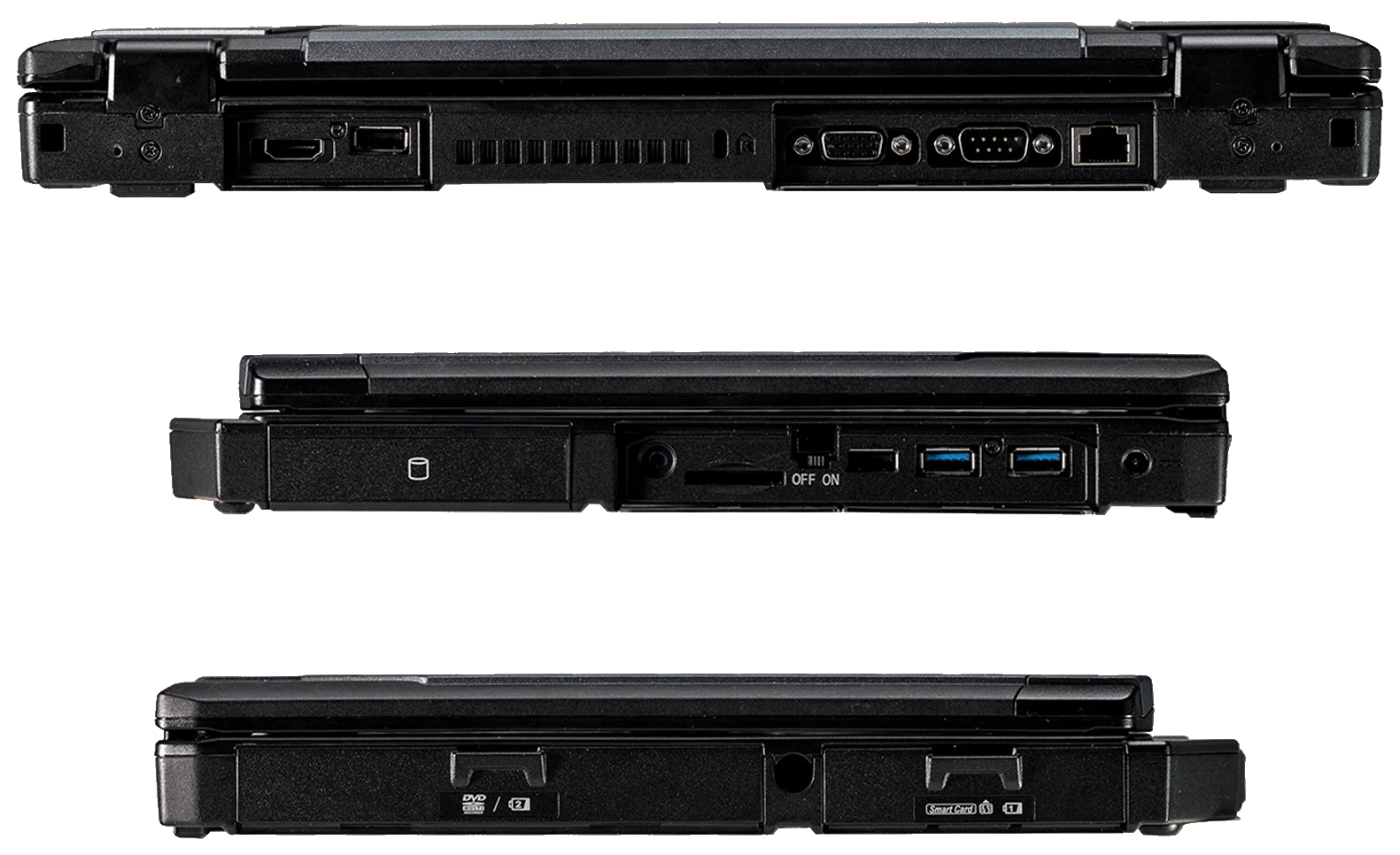
- According to its product page, the Durabook Z14I comes with 2x RJ45, 2x RS232, 2x Thunderbolt 4, HDMI, and VGA factory-fitted.
- The Durabook S15 has 1x RS232 permanently built in; a second RS232 port together with a second LAN port can additionally be ordered as a factory option.
- The Durabook S14I has 1x RS232 (serial) factory-fitted; via the media-bay factory option, a second RS232 port together with USB 3.2 Type A can additionally be retrofitted.
Important when choosing: the Durabook S15AB is a standalone, semi-rugged model and should not be confused with the Durabook S15. According to the laptop comparison table, the S15AB shows no RS232 in the "Serial port (RS-232)" row – anyone who needs this interface should specifically choose the Durabook S15 with its factory-fitted RS232 port, not the S15AB.
Tablets with Optionally Retrofittable RS-232
On tablets, RS232 is generally not standard equipment but an optional expansion module:
- Durabook R11 – optional via an expansion module (RJ45 & RS232 & smart-card combo reader).
- Durabook U11I – RS232 optional, mutually exclusive with USB 3.2 Type A.
- Durabook R8 – optional via an expansion module (smartcard reader with RS-232/RJ-45 & USB3.2).
Anyone who needs RS232 permanently and regularly for connecting diagnostic devices is generally better served by a laptop with a factory-integrated port, since on the tablets the corresponding module must be actively selected when ordering.
USB, Network, and Wireless Connectivity as a Complement
Besides RS-232, the remaining ports are also relevant for diagnostic devices, emissions testers, and other workshop peripherals. According to the laptop comparison table, the current Durabook laptops come with the following equipment:
- USB 3 Type-A: 2x on the Durabook S15, S14I, and Z14I, as well as on the S15AB.
- USB 3 Type-C: 1x each on all four models.
- USB 2.0 Type-A: additionally present on the S14I, Z14I, and S15AB, but not on the S15.
- Ethernet (RJ-45) LAN port: present on all four models.
- Docking connector: built in as standard on the Z14I, available as an option on the S15 and S14I.
- Wi-Fi: present on all four models.
- Bluetooth: built in versions 5.3 (S15), 5.2 (S14I and Z14I), and 5.0 (S15AB).
- GPS/LTE: available as an option on all four models.
In practice this means: a USB-based diagnostic interface can be connected to any of the devices mentioned. Network-based diagnostic systems or a connection to the workshop server run via the existing Ethernet port. And where manufacturers now rely on cordless measuring tools – for example tire-pressure tools with radio transmission – Bluetooth provides a connection that is factory-fitted on all four laptops. A docking connector is additionally relevant when the device is operated permanently at a workstation with several connected peripherals, instead of being cabled individually each time.
How Oil, Brake Dust, and Wash Water Shape the Requirements
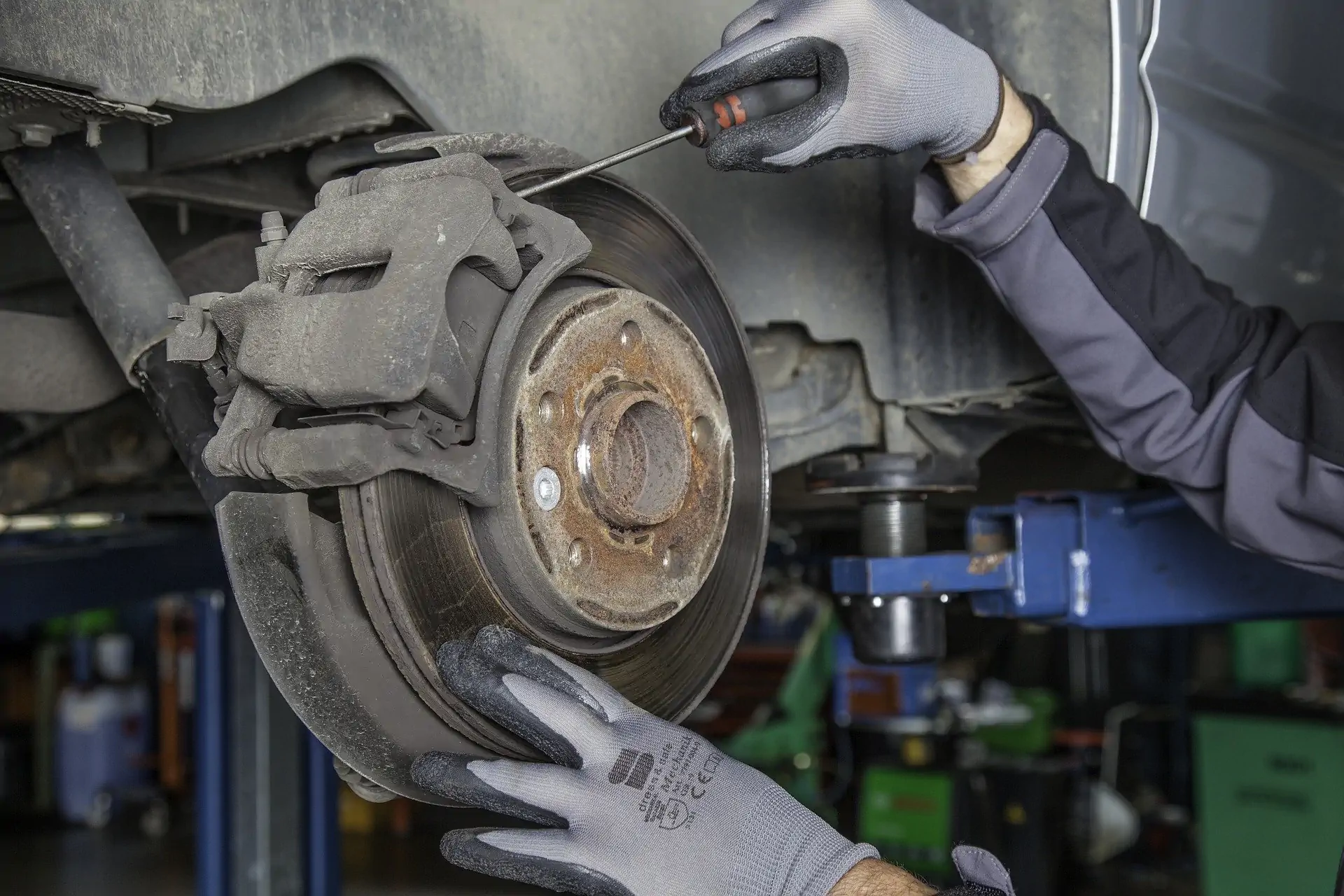
In the workshop, availability is what counts: if a drop or ingressing dust takes the device out of action, diagnostics and documentation grind to a halt immediately, as the industry page Workshop puts it. It explicitly points to robustness against dust, oil, vibration, and drops. Brake dust, engine oil, and wash water from cleaning vehicles or the hall are everyday occurrences in this environment – a device's IP protection rating indicates how well it is shielded against dust and water. According to the laptop comparison table, the current models carry the following ratings:
- Durabook S15 and Durabook S15AB: IP5X – dust-protected, with full protection against contact.
- Durabook S14I: IP53 – additionally protected against falling spray water up to 60° from vertical.
- Durabook Z14I: IP65 – dust-tight and protected against water jets from any angle.
According to the industry page Workshop, a rating such as IP53 can be sufficient for indoor areas with occasional spray-water contact; if the device is instead used in a vehicle wash area, or the workshop itself is regularly hosed down, a higher rating such as IP65 is the more suitable choice. Besides the IP rating, the comparison table also shows whether a device has port covers: these are present on the Durabook S15, S14I, and Z14I, but not listed for the Durabook S15AB in the comparison table. Port covers prevent oil, dust, or moisture from getting directly into open USB, RS232, or network sockets when the device is not currently connected to a diagnostic tool. In addition, drop protection and MIL-STD certification are documented: according to the comparison table, drop protection is 120 cm for the S15 and S14I, 180 cm for the Z14I, and 90 cm for the S15AB; the S15 and S14I are tested to MIL-STD-810H, the Z14I additionally to MIL-STD-461G, and the S15AB to MIL-STD-810G.
Why Glove Operation and a Readable Display Matter in the Bay
Anyone connecting a diagnostic device typically operates the laptop or tablet right next to it – often wearing work gloves and in a bay where ambient light varies widely. Both factors affect device choice. Not every touchscreen responds reliably to glove operation: according to the tablet comparison table, the Durabook U11I and Durabook R8 models have their own touchscreen mode for gloves, whereas this is not present on the R11L and R11 models according to the same table. The Durabook U11I's own product page likewise notes that the touchscreen supports operation in rain or with gloves.
Display brightness is decisive for readability in the bay. The industry page Workshop cites a range of 1000 to 1200 nits for optionally bright displays. Specifically, the Durabook S14I's optional sunlight-readable display is rated at 1000 nits according to the comparison table, the Durabook Z14I comes standard with a sunlight-readable display at 1000 nits, and the Durabook S15AB is optionally available with a display of up to 400 to 500 nits, as summarized in the article Sunlight-Readable Displays: Nits, Anti-Glare Coating, Polarizing Filters. A bright display, anti-glare coated if in doubt, ensures that measurement readings, error codes, and logs remain clearly readable even under bay lighting or in daylight through an open door, instead of technicians having to carry the device into the shade every time.
Connectivity at the Dealership: Front Desk, Workshop, and Diagnostics Considered Together
At a dealership, vehicle intake, documentation, and customer communication come together alongside pure workshop diagnostics – but the RS232 interface remains a central connectivity topic there too. According to the industry page Dealership, the serial interface is still one of the most widely used standards for serial connections and is used, among other things, for controlling and programming vehicle diagnostic devices as well as for integration into measurement technology for vehicle analysis. The same page additionally names console-based control of switchgear and connections to barcode scanners for inventory management as typical application areas. Anyone who needs to cover both workshop diagnostics and vehicle intake and documentation at one location will find a device selection tailored to the dealership on this page, while the page Workshop is more focused on pure workshop work.
Clarify the Right Connectivity Before Choosing a Device
Before a new laptop or tablet is procured for the workshop, it is worth comparing it against the existing diagnostic equipment: which devices speak exclusively RS-232, which can be connected via USB or network, and which already work wirelessly? Only then can it be decided whether a model with a factory-fitted RS232 port, such as the Durabook Z14I, the Durabook S15, or the Durabook S14I, is necessary, or whether a tablet with an optionally retrofittable expansion module is enough. In addition to the pure connectivity question, IP rating, port covers, glove-compatible touchscreen operation, and display brightness should factor into the decision, so that the device can permanently withstand daily exposure to oil, brake dust, and wash water. A complete overview of all models with an RS232 port is provided on the page Laptop with a Serial Interface (RS-232), with all technical data in detail on the laptop comparison table and the tablet comparison table. A device selection tailored to the respective industry is offered on the pages Workshop and Dealership.
If you have questions about the right way to connect your diagnostic devices to a rugged notebook or tablet, the RobustBook team will be happy to help you choose the right model.