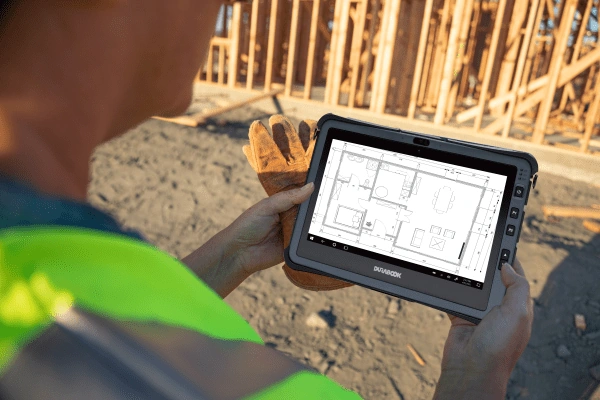
Measurement, construction progress and defects are among the tasks that come up on every construction site - and they are increasingly recorded digitally right on site, instead of being written down on paper and typed up again later in the office. This article describes how this recording typically works today, why the media break between construction site and office costs time, and what a device needs to bring to the table: legibility in sunlight, operation with work gloves, protection against dust and rain, drop resistance, enough storage for photos, and GPS along with the ability to keep working without a network connection.
How Measurement, Construction Progress and Defects Are Recorded Today
At its core, the same types of recording keep coming up on a construction site: dimensions and quantities for measurement, the current state of construction for progress tracking, and irregularities or missing elements for defect documentation. The industry page Construction describes one key result for this: "fewer media breaks, faster approvals, less downtime". The term "media break" hits exactly the point this article is about: as long as a piece of information changes medium several times between paper, camera and office PC, extra steps arise at each of these interfaces.
On the construction site, digital recording happens primarily through the applications installed on the device for task management, construction documentation and scheduling. The industry page Construction states this explicitly: "By installing the right applications for the construction site, you can handle various processes digitally: from task management to construction documentation to the schedule." Which specific software is used depends on the individual company - what matters from a device perspective is that the tablet or notebook in use brings the basic requirements for this digital process: a display that is legible in sunlight, operation that also works with gloves, sufficient protection against dust, rain and drops, enough storage for photos, and GPS along with the ability to keep working without a network connection. All of these points are covered individually in the following sections.
Why Paper and Re-Entry in the Office Cost Time
The classic workflow - noting measurements on paper, taking photos with a separate camera, then transferring both into digital documentation later in the office - means that every piece of information is recorded at least twice: once on the construction site, once at the office PC. The industry page Construction describes exactly this double step as a "media break", whose avoidance leads to "faster approvals" and "less downtime". If measurements are instead recorded directly on the device on site, the second entry is no longer needed - figures, photos and notes already exist digitally as soon as the measurement appointment is finished.
A solid percentage figure for how much faster digital recording is compared to paper and re-entry in an individual case is not available for the RobustBook range and is therefore not given here. What is understandable, however, is the structural reason why a media break costs time in principle: every additional transfer from one medium to the next is a step in which information can be lost, mixed up or simply forgotten - and a step that becomes unnecessary as soon as measurements, photos and notes are recorded from the start on the same device that is later used for evaluation as well.
Legibility in Direct Sunlight
A measurement or documentation form that is barely visible on the display in sunlight slows down the recording process right from the start. The industry page Construction explicitly names a "display legible in sunlight" as one of the core requirements and points specifically to a value of "1000 nits", which makes it possible to "see the screen content clearly in direct sunlight". The in-depth article Sunlight-Readable Displays: Nits, Anti-Glare, Polarizing Filters puts this value into context: 1000 nits is the most frequently used reference value in the RobustBook range for a "display legible in sunlight" and is named there, among other things, for the Construction industry page.
According to this article, the sunlight-readable display comes as standard on the Durabook Z14I, as well as on the Durabook R8 and R10 tablets; on the other models it is available as an option. It is also important that high brightness alone is not enough: the article explains that reflected sunlight can reduce the contrast of an untreated, glossy display so much that, despite a high nits figure, it remains hard to read at certain viewing angles. For a form or a measurement sketch that is used outdoors all day as the sun's position changes, the combination of brightness and display surface is therefore what matters, not the nits figure alone.
Operation with Work Gloves
On a construction site, a device is rarely operated with bare fingers. A touchscreen that only responds to bare skin either forces the user to take off their gloves before every input, or it simply stops being used for recording altogether. The Tablet Comparison Table has its own row for this: "Touchscreen mode for gloves". According to this table, the Durabook U11I and the Durabook R8 support this mode, while it is not listed for the Durabook R11L and the Durabook R11 according to the table.
This distinction matters when choosing a device for construction site use: anyone recording a measurement or a defect list mostly outdoors and with work gloves should specifically look for a model with this glove mode, rather than relying on the touchscreen function alone - because according to the comparison table, a touchscreen and a touchscreen with glove support are two different, separately listed properties.
Protection Against Dust and Rain
Dust from excavation or grinding work and rain from changing weather are part of everyday life on a construction site. How well a device is protected against this is expressed by the IP protection class, which the article IP57 and the Other IP Protection Classes in Detail explains in detail: the first digit stands for protection against dust and contact, the second for protection against water. According to this article, current Durabook laptops carry the protection classes IP5X, IP53 or IP65 - IP65 means "dust-tight" and "protected against water jets (nozzle) from any angle", a level of protection that, according to the article, is far more often relevant in field use "for example in rain, when hosing down dirty devices, or on a construction site" than brief full immersion.
Specifically, the Laptop Comparison Table lists the protection class IP5X for the Durabook S15, IP53 for the Durabook S14I and IP65 for the Durabook Z14I; the Durabook S15AB - a standalone device independent of these three models - also carries the protection class IP5X according to its product page. The industry page Construction names "dust-tight and water-jet protection" as a core requirement; which specific IP class is sufficient for a given use depends on whether a device is mostly used under cover or continuously outdoors in the rain - the industry page puts it this way: "We choose the protection class to match the use case (indoor/covered vs. outdoor/harsh environment), so you don't overpay - but also don't underprotect."
Falling from Scaffolding: Drop Protection in Use
A device that is carried around for measurement and photo documentation between scaffolding levels, excavation pits and shell-construction floors eventually gets dropped - the only question is how often and from what height it survives. The article Drop Protection According to MIL-STD-810: Test Setup and Significance explains that the pure drop-height figure on a datasheet only reflects part of the actual test setup - surface, number of drops, and which edges and corners were included are usually not provided on the product pages.
According to the Laptop Comparison Table, the drop height for the Durabook S15 and the Durabook S14I is 120 cm each, for the Durabook Z14I it is 180 cm, and for the Durabook S15AB it is 90 cm. All four models are additionally certified to MIL-STD-810 - S15, S14I and Z14I to MIL-STD-810H, the S15AB to MIL-STD-810G. For use on scaffolding or across several floors of a shell construction, the stated drop height is a first point of reference; as the linked article explains in detail, it is not a guarantee against every conceivable fall.
Photo Documentation and the Storage It Requires
Defects, construction progress and measurements are regularly recorded photographically on the construction site. The industry page Construction explicitly names "documentation" under "typical use cases": "With the built-in camera, you can easily document notes." How many photos a device can store depends primarily on the installed SSD capacity. The article What Is a Hard Drive? Structure, Types, Differences gives a rule of thumb for this: "250 songs/photos or 2 films" fit into 1 gigabyte of storage - "256 gigabytes of storage is enough for about 64,000 songs/photos". Even during ongoing photo documentation across an entire construction site, the smallest SSD size listed in the Laptop Comparison Table, 256 GB, already offers plenty of headroom for image files, at least by calculation.
According to the same comparison table, the PCIe SSD capacity of the Durabook laptops S15, S14I and Z14I each ranges from 256 GB to 1 TB, and for the Durabook S15AB from 256 GB to 1 TB as a SATA SSD; for the tablets, capacity depends on configuration according to the Tablet Comparison Table, with the exception of the Durabook R10, which is listed as standard from 256 GB up to 2 TB. Relevant for the security of stored construction site photos and documents: for the laptops Durabook S14I and Durabook Z14I, SSD encryption to OPAL 2.0 is optionally available according to the Laptop Comparison Table, but not according to the table for the Durabook S15. The article What Is a Hard Drive? also points out that an SSD has "no mechanical parts" that can be damaged by shocks - an advantage especially for a device that is transported, set down and moved around daily on a construction site.
Location Data via GPS
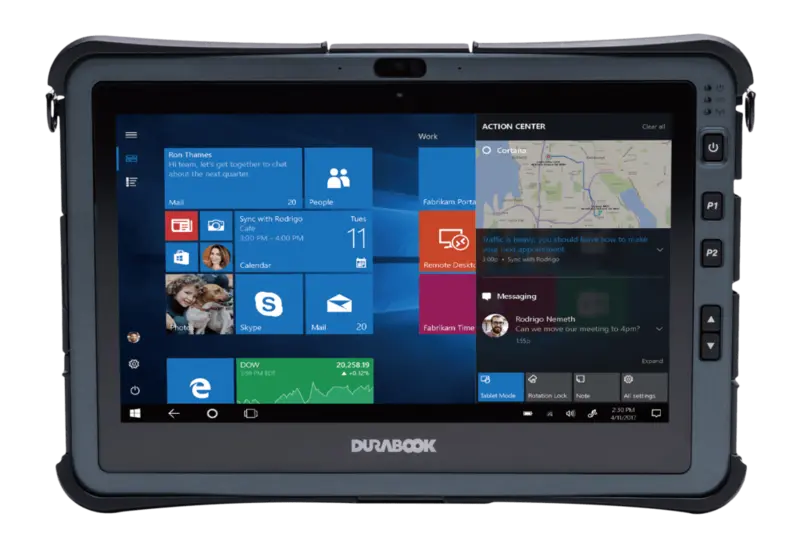
Measurements and defects are easier to assign to the correct construction section when they are automatically linked to the location. The industry page Construction states: "All our devices feature an optional LTE/GPS module, which lets you have all documents on hand while on the move, browse the internet, and navigate to the next construction site." In the Laptop Comparison Table, GPS/LTE is listed as an optional configuration for the Durabook S15, S14I and Z14I models; for the Durabook S15AB, GPS is built in according to the table, with LTE optional. For the tablets, GPS/LTE is optionally available for the R11L, R11, U11I and R8 models according to the Tablet Comparison Table, while it is not listed for the Durabook R10 according to the table.
In practice, this means for construction site documentation: anyone choosing a device with the GPS option can have measurements and photos automatically linked with coordinates, instead of adding the location manually on the form afterward. Whether and how a specific application actually embeds these coordinates in photos or measurement data depends on the software in use and is not specified further here, as no source is available for this in our own material.
Working Without a Network and Syncing Later
Not every construction site has continuous mobile network coverage - in a shell construction, in a basement, or in rural locations, the connection can sometimes disappear entirely. For recording measurements, progress and defects, this means: a device should also be usable without an active network connection, so that work does not have to stop in such places. As soon as reception returns - for example via the optional LTE/GPS module, which according to the Construction industry page is available for all devices, or via WiFi in the site office container - data recorded on site can be synced with the rest of the data.
No source is available in our own material for specific software solutions for such offline operation and automatic syncing; this section is therefore deliberately limited to the device-side prerequisite - sufficient local storage, as described in the section on photo documentation, and an optional mobile network module for later transfer - rather than claiming specific software features that are not documented.
Suitable Devices for Measurement and Documentation
The industry page Construction specifically recommends three devices for construction site use: the Durabook R11 tablet with an 11.6-inch Full HD touchscreen and an optional IP66 protection class to MIL-STD-810H, the Durabook U11I tablet with IP65 protection class, an optional hot-swap battery and touchscreen mode for gloves, and the Durabook Z14I laptop with a standard sunlight-readable 14-inch display and IP65 protection class to MIL-STD-810H. A complete overview with all technical data - from protection class to drop height to storage and GPS - is provided by the Laptop Comparison Table and the Tablet Comparison Table. Anyone unsure which model fits their own construction workflow will find the full overview of construction packages and recommendations in context on the Construction industry page.
Frequently Asked Questions
What display do I need for outdoor measurement recording?
For continuous use in direct sunlight, the Construction industry page names a sunlight-readable display with 1000 nits as the reference value; according to Sunlight-Readable Displays: Nits, Anti-Glare, Polarizing Filters, it comes as standard on the Durabook Z14I and as an option on the other models.
Which tablets can be operated with work gloves?
According to the Tablet Comparison Table, the Durabook U11I and the Durabook R8 support the touchscreen mode for gloves; this is not listed for the Durabook R11L and Durabook R11 according to the table.
Is the device storage enough for ongoing photo documentation?
According to the article What Is a Hard Drive?, 256 GB of storage is already enough, by calculation, for around 64,000 photos - a capacity already offered by the smallest SSD size listed in the Laptop Comparison Table.
Do all devices have GPS?
No. According to the Construction industry page, an LTE/GPS module is optionally available for all devices; for the Durabook S15AB, GPS is already built in according to the Laptop Comparison Table.
What Device Features Digital Site Documentation Needs
Measurement, construction progress and defects can be recorded digitally directly on the construction site if the device in use brings the necessary basic requirements: a display readable in sunlight, operation that also works with work gloves, protection against dust and rain via the appropriate IP protection class, sufficient drop protection for use on scaffolding and in shell-construction floors, enough SSD storage for ongoing photo documentation, and optionally GPS for automatic location tagging along with the ability to keep working without a network connection. This removes the media break between paper, camera and office PC that the Construction industry page describes as a key time drain. A complete overview of suitable devices with all technical data is provided by the Construction industry page together with the Laptop Comparison Table and the Tablet Comparison Table.
If you have questions about the right device setup for measurement and documentation on your construction site, the RobustBook team is happy to help you choose.