Wi-Fi 6E and Wi-Fi 7 are the two newest WLAN generations, which by now have also arrived in rugged laptops and tablets. Both differ from the older standards Wi-Fi 5 and Wi-Fi 6 mainly through access to additional radio spectrum and more efficient use of the available channels. For use in warehouses, storage facilities, and workshops, that is more than a technical footnote: many devices often run simultaneously on the same network there, while metal racking, machinery, and steel structures make radio propagation harder. This article explains what Wi-Fi 6E and Wi-Fi 7 change compared to the older generations, why that matters especially in industrial environments, which devices in the RobustBook range carry which standard – and where the limits of this new technology lie.
From Wi-Fi 5 to Wi-Fi 7: What Changes Between WLAN Generations
The names Wi-Fi 5, Wi-Fi 6, Wi-Fi 6E, and Wi-Fi 7 are simplified generation names from the Wi-Fi Alliance for the underlying IEEE 802.11 standards. They do not replace one another abruptly but build on each other: each new generation brings more available radio spectrum, more efficient channel use, and additional mechanisms for serving more devices simultaneously with less interference.
Wi-Fi 5 and Wi-Fi 6 (802.11ac / 802.11ax)
Wi-Fi 5 is based on the 802.11ac standard and uses the 2.4 GHz and 5 GHz frequency bands. In the RobustBook range, this chipset type is found, for example, on the Durabook S15AB, whose connectivity is listed as "Intel® Dual Band Wireless-AC 9260 & Bluetooth 5.0" – the designation "Wireless-AC" corresponds to the 802.11ac standard, which the Wi-Fi Alliance markets as Wi-Fi 5. Several Getac, Fieldbook, and RuggON models in the range still carry this generation or an even older one: the Getac ATEX EX80 lists "Wi-Fi 802.11 a/b/g/n, Bluetooth (v4.0)", the Getac X500 lists "Wi-Fi 802.11ac, Bluetooth v4.2", the RuggON Sol 7 lists "Wi-Fi 5, Bluetooth 5.0", and the Fieldbook N80 G2 lists "Wifi5 802.11 a/b/g/n/ac". Wi-Fi 6 (802.11ax) essentially extends this with more efficient transmission mechanisms while still using the same two frequency bands. The RuggON Spark 7 and the RuggON Vulcan 10A explicitly list "Wi-Fi 6" in their connectivity specifications, and the Fieldbook P101 lists "Wifi 6 802.11 a/b/g/n/ac /ax".
Wi-Fi 6E: The New 6 GHz Band
Technically, Wi-Fi 6E is an extension of Wi-Fi 6 with a third frequency band: the 6 GHz band. In addition to 2.4 GHz and 5 GHz, a third, significantly less crowded frequency range is thereby available, in which only devices with Wi-Fi 6E or Wi-Fi 7 transmit. Older devices with Wi-Fi 5 or Wi-Fi 6 cannot use this band – they remain limited to 2.4 GHz and 5 GHz and share capacity there with every other WLAN participant, Bluetooth device, and other radio source within range.
Wi-Fi 7 (802.11be)
Wi-Fi 7 is currently the newest WLAN generation and is listed in the official IEEE standard as 802.11be – in the RobustBook range this is spelled out, for example, on the Getac B360 G3 as "Intel® WiFi 7 BE200, 802.11be". Wi-Fi 7 builds on the 6 GHz band of Wi-Fi 6E and adds mechanisms for a single device to use several frequency bands at the same time. In practice, that means: more capacity for devices active at the same time on the same network, and lower latency in data transmission, because the network can shift more flexibly across several bands instead of backing up on a single channel.
Why That Matters Especially in Warehouses, Storage Facilities, and Workshops
In office environments with a few dozen devices, the difference between WLAN generations often barely shows. It looks different in production halls, warehouses, and workshops – for several reasons that reinforce one another:
- Many devices at once: Handheld scanners, tablets on picking carts, machine controllers, stationary terminals, and technicians' mobile devices frequently all transmit at the same time on the same WLAN. The more devices share the available channels, the more additional spectrum such as the 6 GHz band in Wi-Fi 6E and Wi-Fi 7 makes a difference.
- Metal racking and steel structures: Shelving, machine housings, steel beams, and roller doors reflect and attenuate radio signals. That favors dead zones and multipath propagation, where a signal reaches the receiver via several paths at slightly different times – an effect that modern WLAN standards absorb better than older ones through improved signal processing.
- Additional interference sources: Frequency converters, motors, welding equipment, and other industrial systems generate electromagnetic interference that can particularly affect the heavily loaded 2.4 GHz band. Shifting to the 5 GHz or 6 GHz band reduces this dependency.
This combination – many devices, attenuating metal structures, and industrial interference sources – describes exactly the environments RobustBook devices are designed for. An overview of the typical requirements in such environments is provided by the industry page Industry, with notes on ruggedness, legacy interfaces, and powerful processors for shop-floor use. For warehouse and picking processes with barcode scanners, docking solutions, and shift operation, the industry page Logistics is the right place to look.
Which RobustBook Devices Carry Which WLAN Standard
The WLAN standard is not a uniform specification across the entire range but differs by model and by the vintage of the installed radio modules. The following overview summarizes what is documented on the individual product pages and in the comparison tables.
Tablets
The Tablet Comparison Table shows only a checkmark without a specific standard for the Durabook models R11L, R11, U11I, and R8 in the "Bluetooth V5.0 / WLAN" row, but explicitly lists "Wi-Fi 7 / BT 5.4" for the Durabook R10. The individual product pages provide the details: the Durabook R10 is equipped with "state-of-the-art Wi-Fi 7 and Bluetooth v5.4" and is thereby currently the only tablet in the range with Wi-Fi 7. The Durabook R11L lists "Wi-Fi 6E + Bluetooth v5.3", the Durabook R11 lists "Wi-Fi 6E + Bluetooth v5.3, integrated GPS + 4G LTE combo", the Durabook U11I lists "state-of-the-art Wi-Fi 6E and Bluetooth v5.3", and the Durabook R8 lists "Wi-Fi 6E, Bluetooth v5.3, as well as USB Type-C (DP support) and Thunderbolt 4". The current Durabook tablet lineup therefore carries at least Wi-Fi 6E throughout, with the R10 at the top carrying Wi-Fi 7.
Laptops
For the laptops, the Laptop Comparison Table likewise shows only a general checkmark in the "WLAN" row for the S15, S14I, Z14I, and S15AB. The product pages give the specific standard: the Durabook S14I lists "Wi-Fi 7 and Bluetooth v5.4", as does the Durabook Z14I with "Wi-Fi 7 and Bluetooth v5.4". The Durabook S15 lists "Wi-Fi 6E + Bluetooth v5.3". The Durabook S15AB is equipped with "Intel® Dual Band Wireless-AC 9260 & Bluetooth 5.0" – the older 802.11ac chipset, which is also still installed in some other brands in the range. Among the laptops, the S14I and Z14I are therefore the models with Wi-Fi 7, the S15 carries Wi-Fi 6E, while the S15AB still builds on the older Wireless-AC generation.
Other Brands in the Range
Outside the Durabook line, too, the range spans from older to current WLAN standards. Wi-Fi 7 is carried, for example, by the Getac B360 G3 with "Intel® WiFi 7 BE200, 802.11be", as well as the Getac UX10 EX and the Getac UX10, both of which list "Wi-Fi 7" together with Bluetooth 5.4. Wi-Fi 6E is found, among others, in the Getac models F110 EX, F110 G7, K120 EX, K120, S410 G5, S510, V110 G3, X600, and ZX80, as well as the ZX10 G2. Older standards are also still represented in the range, for instance on the Getac T800 with "Intel® Dual Band Wireless-AC 7265, 802.11ac" or the Getac ATEX EX80 with "Wi-Fi 802.11 a/b/g/n, Bluetooth (v4.0)" – a device certified for use in hazardous (Ex) zones, where the radio equipment plays a secondary role next to the zone certification.
Limitations of Wi-Fi 6E and Wi-Fi 7 in Industrial Use
As substantial as the capacity gain from the 6 GHz band is, the limitations of these new WLAN generations are just as clear – especially in industrial environments.
Shorter Range in the 6 GHz Band
Higher frequencies physically propagate less well than lower ones: they are attenuated more strongly by walls, ceilings, shelving, and machinery, and penetrate less deeply into buildings. The 6 GHz band offers more capacity but covers a smaller area per access point than the 5 GHz or 2.4 GHz band. In large halls with a lot of metal racking, that can mean more access points are needed to cover the same area without gaps – a planning effort that is easily overlooked when simply switching devices.
Matching Access Points Are a Prerequisite
An end device with Wi-Fi 6E or Wi-Fi 7 can only deliver its advantages if the WLAN infrastructure – that is, the access points and routers – also supports the respective standard. If an older access point with Wi-Fi 5 or Wi-Fi 6 without 6 GHz support is still installed in the warehouse or workshop, even a new device with Wi-Fi 7 will connect only over the older, mutually usable frequency band. The investment in a new end device therefore only pays off fully once the network infrastructure is modernized to match.
Regulatory Approval by Country
The 6 GHz band is not released for WLAN operation to the same extent in every country; the respective national regulatory authorities determine which parts of this frequency range may be used for Wi-Fi 6E and Wi-Fi 7. Anyone deploying devices with these standards across countries should therefore check in advance whether, and to what extent, the 6 GHz band is approved at the respective site – regardless of whether the device itself is certified for it.
Frequently Asked Questions
Is Wi-Fi 7 automatically better than Wi-Fi 6E?
Wi-Fi 7 builds on the 6 GHz band of Wi-Fi 6E and adds mechanisms for using several frequency bands at once. In practice, however, the advantage only takes effect if the access points in use also support Wi-Fi 7 – otherwise a Wi-Fi-7-capable device connects at the level of the existing infrastructure.
Which RobustBook tablet has Wi-Fi 7?
In the current range, the Durabook R10 is the tablet with Wi-Fi 7. The other Durabook tablets – R11L, R11, U11I, and R8 – carry Wi-Fi 6E.
Which RobustBook laptops have Wi-Fi 7?
The Durabook S14I and the Durabook Z14I carry Wi-Fi 7. The Durabook S15 carries Wi-Fi 6E, and the Durabook S15AB carries the older Wireless-AC generation.
Do I have to replace my access point to use Wi-Fi 6E or Wi-Fi 7?
Yes, provided the existing access point does not support the 6 GHz band. Without a matching access point, even a new end device connects only over the older, mutually usable 2.4 GHz and 5 GHz frequency bands.
What Wi-Fi 6E and Wi-Fi 7 Bring to Industrial Use
Wi-Fi 6E and Wi-Fi 7 differ from Wi-Fi 5 and Wi-Fi 6 mainly through access to the additional 6 GHz band and more efficient use of multiple frequency bands. For warehouses, storage facilities, and workshops with many devices active at once, metal racking, and industrial interference sources, that is a relevant advantage – provided the access point infrastructure keeps pace and approval of the 6 GHz band at the respective site is confirmed. In the RobustBook range, the Durabook R10 currently carries Wi-Fi 7 among the tablets, and the Durabook S14I and Durabook Z14I carry it among the laptops, while the S15 and the remaining current Durabook tablets carry Wi-Fi 6E; older models such as the Durabook S15AB or individual Getac and Fieldbook devices still rely on the Wireless-AC generation. A complete technical overview with all data points is provided by the Laptop Comparison Table and the Tablet Comparison Table.
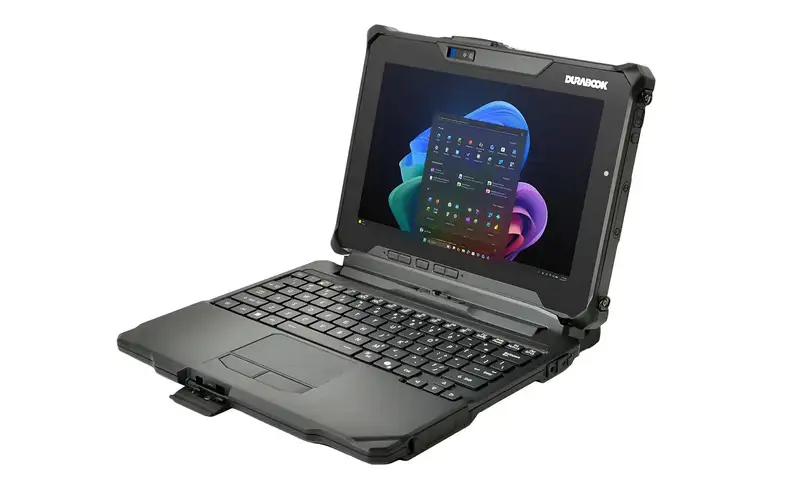
If you have questions about which model with which WLAN standard suits your hall, warehouse, or workshop, the RobustBook team is happy to help you choose.