"Copilot+ PC" is the name for a new device class equipped with an additional compute unit for artificial intelligence, the so-called NPU. This article explains what an NPU is technically, how it differs from the processor (CPU) and the graphics unit (GPU), what the term "Copilot+ PC" means, which kinds of tasks it allows to run on the device itself instead of in a data center, and why this is particularly interesting for mobile use in the field. Equally important: where the limits of this technology lie, because the actual benefit depends decisively on the software used.
What is an NPU?
NPU stands for "Neural Processing Unit". It is an additional compute block in a device specifically designed to carry out the calculations typical of neural networks and other machine learning models: above all a very large number of mostly simple matrix operations that run in parallel. Unlike a classic main processor, an NPU is not built to handle the widest possible variety of sequentially processed tasks, but is specialized for a particular kind of workload: so-called inferencing, meaning the application of an already trained model to new input data, for example a photo, an audio signal, or a text.
The practical advantage of this specialization lies mainly in energy efficiency. An NPU can perform this type of calculation with significantly less energy than a main processor, which could likewise solve the same task but would consume disproportionately more power in the process. In manufacturer specifications, the compute performance of an NPU is often given in TOPS, an abbreviation for "Tera Operations Per Second": that is, trillions of computing operations per second. This figure describes the theoretical peak performance of the component for the operations typical of it and mainly serves to compare different NPU generations.
NPU, CPU, and GPU compared
The main processor (CPU)
The CPU is a computer's classic general-purpose processor. It is designed to process a wide variety of instructions one after another, and, with modern multi-core architectures, partly in parallel: operating system, application programs, input and output control, network communication, and virtually every other task a device performs. This versatility comes at a price: for highly parallelizable workloads, such as those found in image or AI processing, the CPU is not the most efficient choice.
The graphics unit (GPU)
The GPU was originally developed for computing images and 3D graphics and is designed for massive parallel processing, many simple computing operations at once instead of one complex operation after another. The same architecture is also well suited to training and running neural networks, which is why GPUs have been used for AI applications for years as well. The drawback in mobile operation: a powerful GPU requires comparatively a lot of energy and generates correspondingly more heat.
The NPU as a third compute unit
The NPU complements the CPU and GPU as a third, highly specialized compute unit. It takes over the inference calculations of AI models specifically and does so with a much more favorable ratio of compute performance to energy consumption than the CPU or GPU. For the user, the NPU is normally not directly visible. It works in the background and is addressed automatically by the operating system and applications, provided they are programmed to use an NPU.
What does "Copilot+ PC" mean?
"Copilot+ PC" is a name for a device class of Windows 11 computers that come equipped as standard with an NPU powerful enough to run certain AI-supported functions directly on the device instead of drawing the required compute power from the cloud. The term therefore does not refer to a single component but to a combination of hardware (an NPU with corresponding compute performance), operating system, and software tuned to match.
In the RobustBook range, the Durabook R10 belongs to this device class. The product page describes the tablet as "one of the first New Copilot+ PCs of its class", equipped with an Intel® Core™ Ultra 5 226V processor with an integrated Intel® AI Boost NPU. In the base configuration, the device runs Windows 11 Professional, which according to the product page is optimized for Copilot+ AI applications. Via the product page's configurator, the processor can also be adjusted to variants from the Core Ultra 5 and Core Ultra 7 series with Intel AI Boost NPU of up to 40 and up to 48 TOPS respectively.
Which tasks does this move onto the device instead of the cloud?
Without an NPU, compute-intensive AI tasks, such as recognizing objects in an image, converting speech to text, translating, or summarizing a text, are often offloaded to a server on the internet: the input data is uploaded, processed there, and the result is sent back. With a sufficiently powerful NPU in the device, the same kind of calculation can instead take place locally, provided the software used is designed for it. The input data, such as a photo, an audio recording, or a document, then does not need to leave the device for this processing step, and the result is available without an internet connection to a cloud service.
The qualifier "provided the software is designed for it" matters here: an NPU is initially just a hardware component. Whether a particular application actually uses it for a particular task is decided by the software, not by the mere presence of the NPU. More on this in the section on the limits of this technology below.
Why this is particularly interesting for field use
Rugged laptops and tablets are often used where a stable internet connection is not guaranteed, on construction sites, in workshops, in field service, or with emergency responders on the move. In precisely this environment, local AI processing offers three practical advantages.
Data privacy and data sovereignty
When an AI-supported evaluation, of a photo, a voice note, or a document, for example, takes place locally on the device, the underlying data does not need to be transmitted to an external cloud service for this processing step. For use cases with particular data protection requirements, such as public safety or security-relevant industrial environments, this is a relevant aspect. How access protection and data security come together on rugged devices overall is described in the article Ideal Laptop Protection: 5 Security Features and Protection Mechanisms Compared.
Working without a network connection
A cloud-based AI function only works as long as an internet connection exists. If the calculation instead runs locally on an NPU, it remains available even when no network is present: for example in basements, on remote construction sites, in rural areas, or in buildings with weak mobile coverage. For fields of application such as public safety or industrial production, where devices are regularly used in areas with limited or no network coverage, this independence from an existing connection is a practical advantage.
Battery conservation
Because an NPU works more energy-efficiently than a CPU or GPU for typical AI calculations, a task run locally on the NPU can put less strain on a mobile device's battery than if the same calculation ran through the main processor. For devices that need to get through an entire shift in the field without access to a power outlet, careful use of battery capacity is a relevant factor.
Limits: the benefit depends on the software
As promising as the idea of local AI processing sounds: an NPU is initially just an additional compute component. Whether and how much a user benefits from it in everyday use depends entirely on whether the software used, operating system functions as well as individual specialist applications, is designed to use this NPU and actually makes use of that possibility. An application that was not programmed for the NPU, or whose manufacturer does not (yet) offer corresponding support, continues to rely on the CPU or GPU, or continues to process the data via the cloud, regardless of how powerful the NPU built into the device is.
In addition, not every AI task can be meaningfully run locally with the compute performance of a mobile NPU. Very large models, such as those used for elaborate text generation, often still require the compute performance of servers in data centers. An NPU in a mobile device is therefore not a complete replacement for cloud-based AI services, but a complement for the tasks that can be solved directly on the device with a reasonable amount of compute effort. Anyone who actually wants to use the advantages of a Copilot+ PC in their own daily work should therefore not look at the hardware alone, but also check whether the software used in their own environment supports local AI processing at all.
Copilot+ PC in the RobustBook range: the Durabook R10
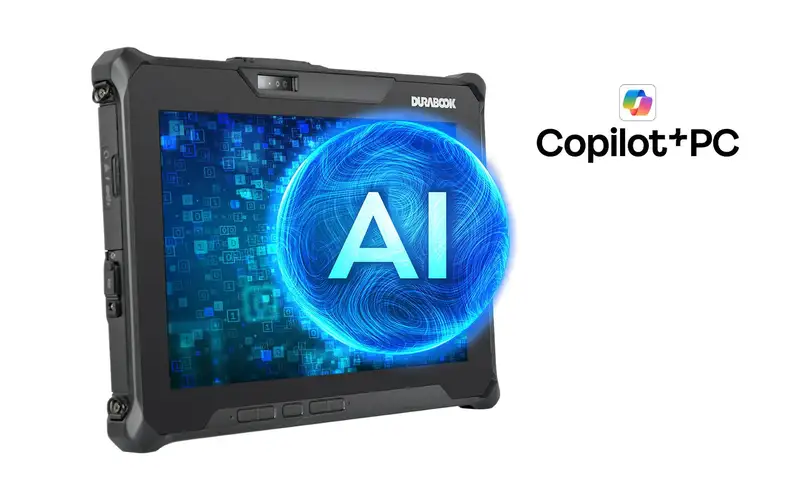
In the current RobustBook range, the Durabook R10 carries the Copilot+ PC equipment. According to the product page, it is a fully rugged 10.1-inch tablet with a WUXGA touchscreen (1920 × 1200) and a display brightness of 1000 nits, designed for outdoor readability. The processor fitted is an Intel® Core™ Ultra 5 226V with an integrated Intel® AI Boost NPU (up to 40 TOPS), with clock speeds of up to 4.5 GHz. Via the product page's configurator, variants with Core Ultra 5 228V, 236V vPro, and 238V vPro (each with NPU up to 40 TOPS) as well as Core Ultra 7 256V, 258V, 266V vPro, and 268V vPro (each with NPU up to 48 TOPS) can additionally be selected.
Further equipment features according to the product page: 16 GB of RAM (LPDDR5x), a 256 GB PCIe NVMe SSD as standard with an upgrade option up to 2 TB, Wi-Fi 7, Bluetooth v5.4, a built-in RJ45 Ethernet port, a Thunderbolt 4 port (Type-C), a USB 3.2 Gen 1 port (Type-A), as well as a Windows Hello IR webcam for biometric sign-in. According to the product page, the housing is IP66-certified, meaning dust-tight and protected against powerful water jets. In the base configuration, the device ships without a bridge battery, without a rear camera, and without a smart card reader.
The Tablet Comparison Table compares the R10 with the other Durabook tablets R11L, R11, U11I, and R8. Unlike the other models listed there, where the "CPU platform" category is shown as "configuration-dependent", the table lists "Intel Core Ultra 5 226V" as well as 16 GB RAM (LPDDR5x) specifically for the R10. In the row "Bridge battery (5-minute swap time)", the table notes "Not in base configuration" for the R10, an indication that, as with the device as a whole, individual equipment features can be added depending on configuration.
Frequently asked questions
Is an NPU the same as a graphics card?
No. A GPU is designed for graphics computation and massive parallel processing and is additionally used for AI tasks, but consumes comparatively a lot of energy in the process. An NPU is a separate, specialized component developed specifically for the inference of AI models with a more favorable ratio of performance to energy consumption.
Do you need an internet connection for Copilot+ PC?
For the AI calculations executed on the device itself, no internet connection is generally required, provided the software used actually performs this processing locally via the NPU. Whether and to what extent this is the case depends on the respective application.
Does RobustBook carry a device with an NPU?
Yes, according to the product page the Durabook R10 is equipped with an Intel® Core™ Ultra 5 226V processor with an integrated Intel® AI Boost NPU and is described there as a Copilot+ PC.
What does the TOPS figure mean?
TOPS stands for "Tera Operations Per Second", meaning trillions of computing operations per second. The figure serves to compare the theoretical peak performance of different NPU generations for the operations typical of them.
What an NPU Actually Delivers in Field Use
An NPU is a specialized compute unit for the inference of AI models that performs this task more energy-efficiently than a CPU or GPU. "Copilot+ PC" denotes a device class that combines an NPU powerful enough for this with a matching operating system, so that certain AI-supported tasks can run locally on the device instead of in the cloud. Especially in field use, with limited network access, elevated data protection requirements, and limited battery capacity, this is a relevant aspect. Whether this advantage actually comes into play in day-to-day work, however, depends decisively on whether the software used actually makes use of the NPU. In the RobustBook range, the Durabook R10 currently offers a rugged tablet from this device class; details on its equipment compared with other tablet models are provided by the Tablet Comparison Table.
If you have questions about the right device equipment for your specific field of use, the RobustBook team is happy to help you choose the right model.